

What Happens After a Business Data Breach? A Step-by-Step Guide
- Cybersecurity

Finding out your business has had a data breach is stressful. At first, you may not know what data was exposed, which systems were hit, or whether the attacker is still inside.
A breach can expose customer data, employee records, financial details, passwords, or other personal data. Your first moves matter. The wrong step can make the breach harder to investigate and slower to recover from.
So, what happens after a business data breach?
In most cases, a business needs to stop the attack, find out what happened, and learn what data was involved. Then it fixes the weak spots, tells the right people, and gets back to normal. The exact steps depend on the type and size of the breach.
This guide covers the steps to take after a breach, the mistakes to avoid, and how planning ahead makes recovery easier.
What Is a Business Data Breach?
A business data breach happens when someone gets into data or systems they should not be able to reach. That data may include customer records, employee files, financial data, passwords, or other personal details.
Not every breach comes from skilled hackers. Human error, stolen passwords, phishing, malware, software flaws, and poorly set up systems can all lead to a cyber incident.
Common Ways Businesses Experience a Data Breach

Some common causes include:
- Stolen or compromised passwords
- Phishing attacks
- Malware and ransomware
- Exploited software vulnerabilities
- Unauthorized access to business systems
- Insider incidents
- Misconfigured cloud systems
- Data accidentally exposed online
- Compromised third-party accounts or services
Find out how the breach happened. If the same weak spot is left open, it can let in the next attack.
What Should You Do Immediately After a Data Breach?

When you find a possible breach, act fast. Protect the evidence and stop the damage from spreading.
1. Activate Your Incident Response Plan

First, start your incident response plan and decide who is in charge.
The team depends on your business and how serious the breach is. It may include IT staff, security experts, managers, a lawyer, and the people who handle your messaging.
Your team should:
- Name one person to lead the response
- Set up a safe way to talk to each other
- Write down key actions and decisions
- List the systems and accounts involved
- Decide if you need outside security or forensic help
These first steps go much more smoothly when you have a data breach response plan in place before anything happens.
The FTC advises putting a breach response team to work fast. Keep records of the investigation and keep the evidence safe.
2. Contain the Breach

Next, stop the attacker from getting any further.
This may mean cutting affected devices off the network, turning off hacked accounts, or blocking strange connections. You may also need to take some systems offline for a while.
Be careful not to destroy evidence the investigation will need.
If passwords were stolen, removing the malware is not enough. You may also need to change those passwords or shut off that access.
3. Preserve Evidence
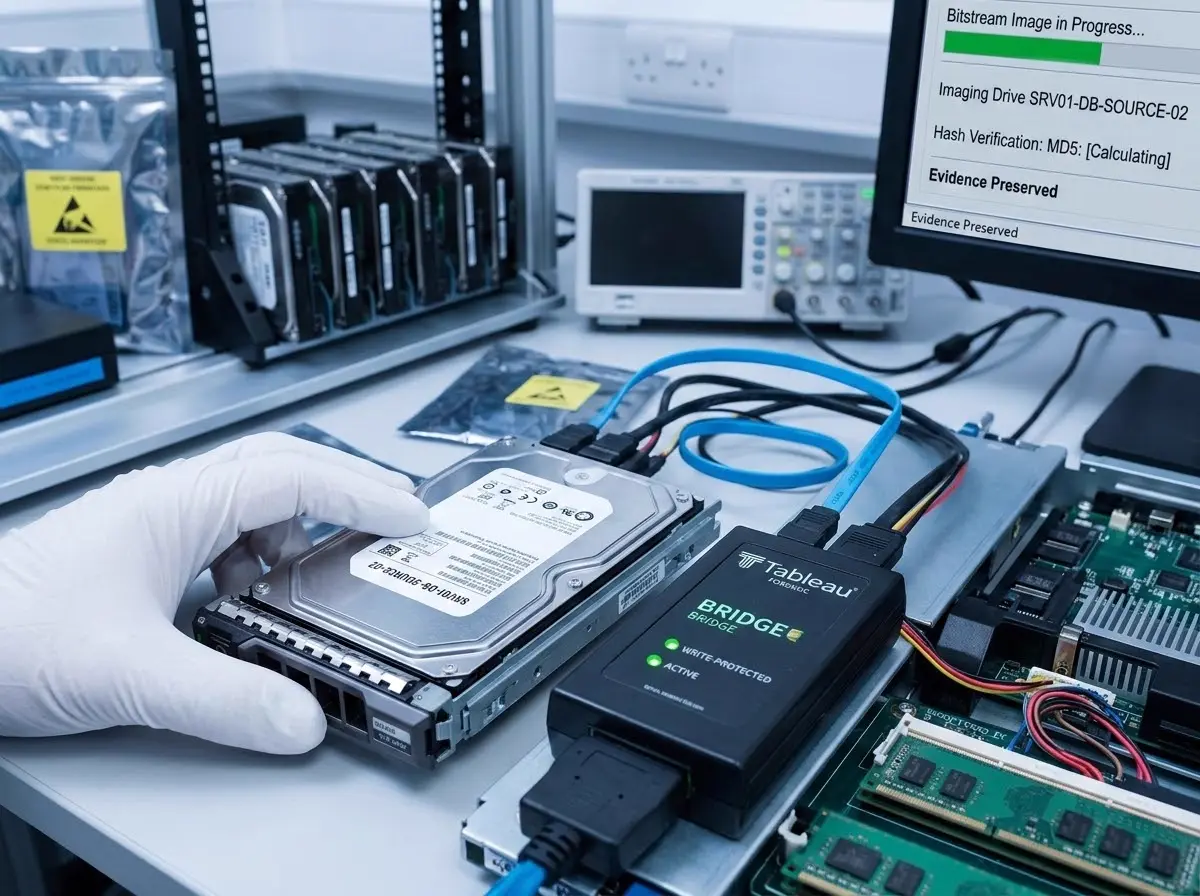
Before wiping, rebuilding, or shutting down affected equipment, determine what evidence needs to be preserved.
Relevant evidence can include:
- System logs
- Security alerts
- Authentication records
- Network activity
- Affected devices
- Suspicious emails
- Application logs
- Files associated with the incident
Evidence helps investigators learn how the attacker got in, which systems they reached, and what data may have been exposed.
The FTC warns businesses not to destroy forensic evidence while they investigate and fix a breach.
Step-by-Step Data Breach Response

Once the first rush is under control, work out what happened and what comes next.
Step 1: Confirm That a Breach Occurred

Not every security alert means a confirmed data breach.
Your IT or security team should look into the activity and find out if someone really got in.
They may check security alerts, logins, network traffic, activity on each device, and other evidence.
The goal is to get the facts before you guess.
Step 2: Determine What Was Compromised

The next step is to identify the affected systems and information.
Ask questions such as:
- Which computers, servers, applications, or cloud systems were accessed?
- What personal data was involved?
- Was information viewed, copied, changed, or deleted?
- Which customers or employees may be affected?
- Were business partners or third-party systems involved?
- How long did the unauthorized access continue?
The answers may not be clear right away. A careful investigation shows how far the breach reached.
Step 3: Identify How the Breach Happened

Finding the entry point is one of the most important parts of a breach investigation.
For example, the data breach involved may have started with:
- A stolen password
- A phishing email
- Malware
- An unpatched application
- A misconfigured cloud service
- Excessive user permissions
- A compromised vendor account
- Human error
Knowing the first weak spot lets you fix the real problem, not just rebuild the system and move on.
Step 4: Remove the Attacker’s Access
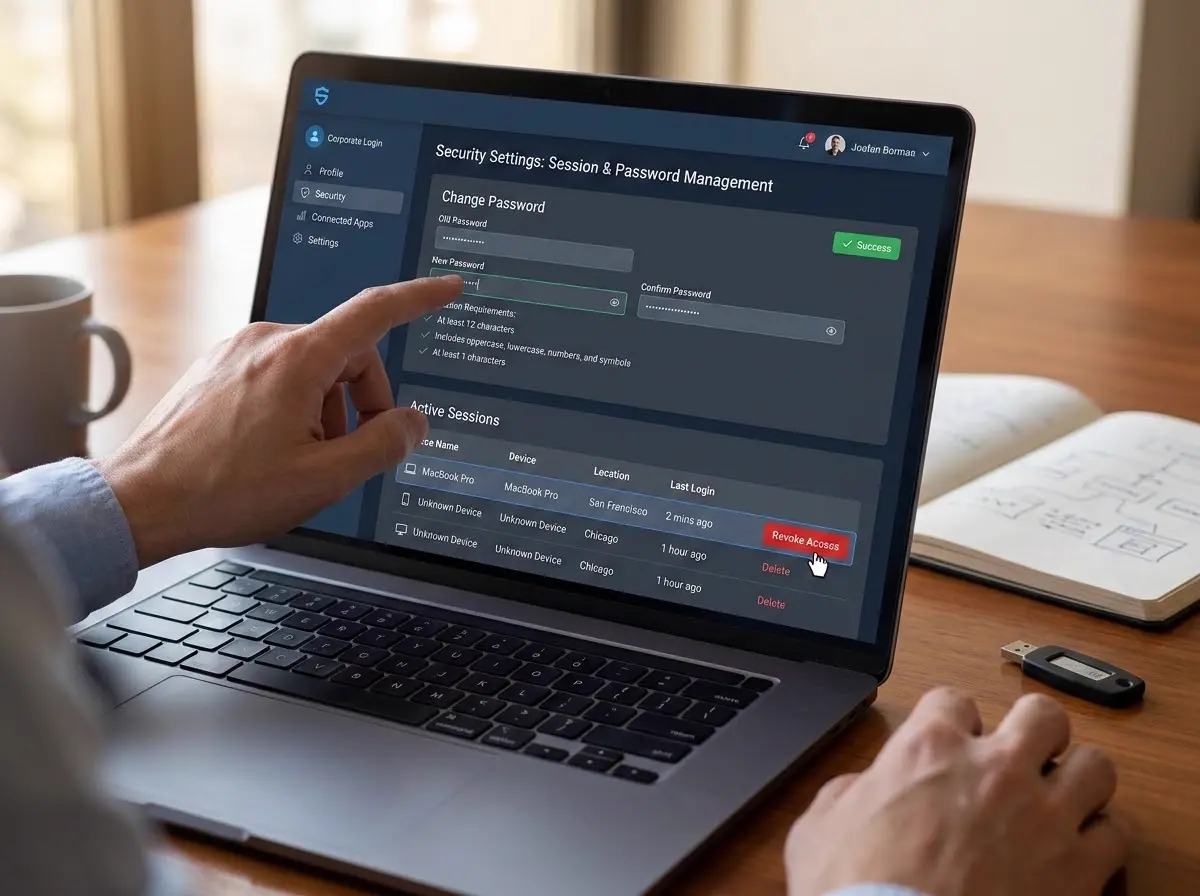
After identifying how an attacker gained access, the business needs to close that access.
Depending on the incident, this may include:
- Resetting compromised passwords
- Revoking suspicious sessions
- Disabling compromised accounts
- Removing malware
- Patching exploited vulnerabilities
- Updating security configurations
- Reviewing third-party access
- Enabling or strengthening multi-factor authentication
Do not treat the breach as contained until you are sure the attacker is locked out.
Step 5: Assess the Damage

Next, determine the potential impact of the breach.
This can include:
- Personal information exposure
- Operational disruption
- Financial losses
- Customer impact
- Employee impact
- Contractual obligations
- Regulatory requirements
- Potential reputational damage
The impact depends on what data was exposed and which systems were hit.
For example, a breach involving names and email addresses may create different risks from one involving financial information, passwords, or Social Security numbers.
Step 6: Determine Who Needs to Be Notified

Who you must tell depends on what happened and which laws apply.
Potential parties can include:
- Affected customers or individuals
- Employees
- Business partners
- Regulators
- Law enforcement
- Insurance providers
- Legal counsel
Breach notice rules change based on the type of data, where the affected people live, and which laws cover your business.
So work with a lawyer. Do not assume one notice rule fits every case.
The FTC says to check your legal duties under state and federal law before you notify the people affected.
Step 7: Communicate Clearly With Affected People

If you need to tell people, keep the message clear and stick to confirmed facts.
Depending on the circumstances, a notification may explain:
- What happened
- When the incident occurred
- What personal data may have been exposed
- What the business has done to respond
- What affected individuals can do to protect themselves
- How they can contact the business for additional information
Do not mislead people, and do not guess.
The FTC advises having a plan for how you will talk to customers, staff, partners, and anyone else affected.
Step 8: Remove the Threat and Fix the Vulnerability

Containing the incident is only part of the response.
You also need to fix the weak spot that let the attacker in.
This could involve:
- Removing malicious software
- Applying security patches
- Correcting system misconfigurations
- Securing compromised accounts
- Improving endpoint protection
- Reviewing access permissions
- Strengthening network security
- Increasing security monitoring
If that flaw stays open, another attack could follow.
Step 9: Restore Systems Safely

Once the threat is gone and the affected systems have been checked, you can start getting back to normal.
You may need clean backups, most of all when ransomware has damaged or locked your files.
Before bringing systems fully back online, businesses should verify that:
- The original vulnerability has been addressed
- Compromised credentials have been secured
- Restored systems are clean
- Security controls are working
- Monitoring is active
Recovery is not just getting systems working again. The goal is to bring them back safer than before.
Step 10: Conduct a Post-Breach Review

Once the immediate response is complete, the business should review the incident.
Ask:
- What happened?
- How did the attacker gain access?
- What data was involved?
- How long did the attacker have access?
- Why wasn’t the activity detected sooner?
- Which security controls failed?
- What should be changed?
- What improvements should be prioritized?
The lessons from the incident can be used to strengthen security over the long term.
What Happens to Your Business After a Data Breach?

A data breach can affect much more than the company’s IT systems.
Business Operations May Be Disrupted

Affected systems may need to be taken offline while the investigation takes place.
Employees may temporarily lose access to applications, files, email, or other business resources.
In serious cases, you may need to run on backup systems or manual workarounds until the affected systems are fixed.
Customers May Have Questions
Customers may want to know:
- What information was exposed?
- Was my information stolen?
- When did the breach happen?
- What is the company doing about it?
- What should I do now?
Clear answers help people understand what happened and take steps to protect themselves.
Your Business May Face Legal or Regulatory Obligations
A breach can bring legal duties. These depend on the type of data and where the affected people live.
For example, some businesses that handle personal data may need to meet the rules of the EU’s General Data Protection Regulation (GDPR).
But GDPR, or any other rule, does not apply to every breach. What applies depends on your business and the data involved.
Your Security Strategy May Need to Change
A breach can reveal weaknesses that were not obvious before the incident.
The business may need to improve:
- Identity and access controls
- Multi-factor authentication
- Endpoint security
- Network monitoring
- Employee training
- Backup procedures
- Access reviews
- Security policies
- Incident response plans
The goal is not simply to recover from the current incident. It is to reduce the chance and potential impact of another one.
How Long Does It Take to Recover From a Data Breach?
There is no universal timeline for recovering from a data breach.
A small breach of one hacked account may be fixed fast. A large breach that hits many systems, sensitive data, or involves ransomware can take much longer to investigate and recover from.
The timeline can depend on:
- The size of the business
- Number of affected systems
- Type of attack
- Type of data involved
- Whether attackers still have access
- Availability of clean backups
- Complexity of the IT environment
- Legal and regulatory requirements
It is also important to understand that recovery has several stages.
Containment: stop the attack.
Investigation: find out what happened and what data was hit.
Restoration: get systems and daily work back to normal.
Notification: tell affected people or authorities when the law requires it.
Long-term fixes: close the gaps and make security stronger.
These stages can overlap. Some may go on long after the business is back to normal.
Common Mistakes Businesses Make After a Data Breach
A rushed response can create additional problems. Some common mistakes include:
Waiting Too Long to Respond
The longer an attacker stays in, the more harm they can do. Look into real warning signs right away.
Destroying or Altering Evidence
Wiping a computer or deleting logs can erase the clues investigators need.
Focusing Only on the Affected Computer
An attacker may have reached other systems or accounts. If you only check the first device, you can miss the rest.
Forgetting to Secure Compromised Credentials
If an attacker obtained usernames and passwords, removing their tools does not necessarily remove their access.
Communicating Before Understanding the Facts
Share accurate facts and avoid claims you cannot back up. You may need to speak early, but only say what you know at that point.
Assuming the Attacker Is Completely Gone
A system may appear normal while an attacker still has access through another account, device, or persistence mechanism.
Restoring Systems Without Fixing the Root Cause
If you restore a system without fixing the flaw that let the attacker in, you stay open to the next attack.
Failing to Document the Incident
Good records help with the investigation, legal duties, insurance claims, and future security work.
How Businesses Can Reduce the Impact of a Future Breach
The best time to prepare for a data breach is before one occurs.
Use Multi-Factor Authentication
MFA adds another verification step beyond a password and can help protect accounts when credentials are stolen.
Keep Systems and Software Updated
Updates fix security holes that attackers would otherwise use.
Monitor Networks and Endpoints
Ongoing monitoring helps you spot strange activity sooner.
Use Strong Access Controls
Give staff access only to the systems and data they need for their jobs, not to everything.
Train Employees to Recognize Threats
Training helps staff avoid phishing, bad links, weak passwords, and other common risks.
You cannot remove all human error. But you can teach staff to spot and report anything that looks wrong.
Maintain Tested Backups
Backups matter most when ransomware or other attacks damage your data.
However, having backups is not enough. Businesses should also test their recovery process to make sure those backups can actually be used when needed. See ProSource’s business continuity and disaster recovery services for tested backup and recovery planning.
Create an Incident Response Plan
An incident response plan should say who responds, what steps they take, who they call, and how the business will keep people informed.
The FTC also advises having a response plan. Think through how you would save data, keep working, and tell customers after a breach.
Regularly Review Security Risks
Security should not be treated as a one-time project.
Regular reviews help you find old software, extra access, weak passwords, and unmanaged devices before they turn into bigger problems.
When Should You Work With a Managed IT or Cybersecurity Provider?
Not every business has an in-house security team that can handle a serious breach.
Outside support may be useful when:
- The source of the breach is unclear
- Multiple affected systems are involved
- The business does not have internal cybersecurity expertise
- The attacker may still have access
- The business needs continuous threat monitoring
- A forensic investigation is required
- Systems need to be restored
- The business needs help strengthening security after the incident
A security provider can help you look into breaches, find weak spots, watch your systems, and build stronger security habits.
How ProSource Can Help After a Security Incident
ProSource’s cybersecurity services help businesses get ready for, spot, and respond to security incidents.
Its services include incident response, security monitoring, security awareness training, endpoint security, security assessments, and security policy development. For local coverage, see our managed cybersecurity services in Orlando.
If you need more help after a breach, an experienced security team can run the response and show you what to fix to lower future risk.
Data Breach vs. Cybersecurity Incident: What’s the Difference?
The terms “data breach” and “cybersecurity incident” are sometimes used interchangeably, but they do not always mean the same thing.
A cybersecurity incident is any attack on your systems, whether it works or not.
A data breach usually means someone got access to, or exposed, private or sensitive data.
For example, a malware infection is a security incident even if no personal data was touched.
That is why you should investigate first, before you decide what happened or what data was affected.
Final Thoughts
A data breach is not just an IT problem. It can hit your daily work, customers, staff, finances, and long-term security.
A practical response can be summarized as:
Detect → Contain → Investigate → Notify → Remove the Threat → Recover → Improve
The exact steps depend on what happened and what data was involved. Don’t guess. Keep the evidence, investigate with care, and fix the weak spots that let the breach happen.
Most of all, don’t wait for a breach to start planning. A written response plan, staff training, tested backups, strong access controls, and ongoing monitoring make it easier to respond when something goes wrong.
If your business needs help preparing for a data breach or strengthening its cybersecurity strategy, schedule a free ProSource Security Assessment to assess your current environment and identify practical areas for improvement.
Frequently Asked Questions
What is the first thing a business should do after a data breach?
A business should begin its incident response process, contain the threat, protect affected systems, and preserve evidence. The exact response depends on the nature of the incident.
Should you shut down computers after a data breach?
Not necessarily. Disconnecting affected equipment from the network may help limit further access, but shutting down or wiping devices can destroy evidence. Businesses should follow their response procedures and seek appropriate technical or forensic guidance.
How do you know what data was stolen?
An investigation can involve reviewing system logs, access records, security alerts, network activity, affected systems, and other evidence. The goal is to determine what information was accessed, changed, copied, or exposed.
Do businesses have to notify customers after a data breach?
Notification requirements vary depending on the type of information involved, the affected individuals, the business's location, and applicable laws. Businesses should determine their specific legal obligations with qualified legal counsel.
How long does it take to recover from a data breach?
There is no standard timeline. A relatively limited incident may be resolved quickly, while a major breach involving multiple systems or sensitive personal data may require weeks or longer for investigation, recovery, and remediation.
Can a business recover from a ransomware attack?
Yes, businesses can recover from ransomware, but the process depends on the attack, the systems affected, the availability of clean backups, and whether the attacker still has access. A tested backup and recovery strategy can make restoration easier.
Should a business hire a cybersecurity company after a breach?
It can be helpful when a business lacks the expertise or resources needed to investigate and contain the incident. A cybersecurity provider may assist with investigation, containment, monitoring, recovery, and long-term security improvements.
How can businesses prevent another data breach?
Businesses can reduce risk by using MFA, keeping software updated, monitoring systems, controlling access, training employees, maintaining tested backups, and regularly reviewing their security controls.
Related articles

What Is Zero Trust Security and Does Your Business Need It?
Learn what Zero Trust security means, how it protects your business, and whether your small or midsize business needs a Zero Trust strategy.
Read more →
CMMC Phase 2 Suspension: What Florida Contractors Should Do
CMMC Phase 2 was suspended July 13, 2026, but DFARS and NIST 800-171 still apply. What Florida defense contractors should do during the pause.
Read more →
The five most common security breaches
These days, the security of various IT systems is constantly being called into question. From attacks on mobile devices to ever-increasing types of malware, many businesses are struggling to stay on top of their security
Read more →Book the Free Assessment
Call (888) 948-7767 or schedule online. We'll review your environment and give you a written report with every gap we find.
No obligation. No sales pitch. Just an honest picture of where your business stands. ProSource has been doing this since 2006, from our offices in Oviedo, Orlando and Melbourne.