

4 Business Data Backup Solutions Compared: Which Is Right for You?
- Business Continuity
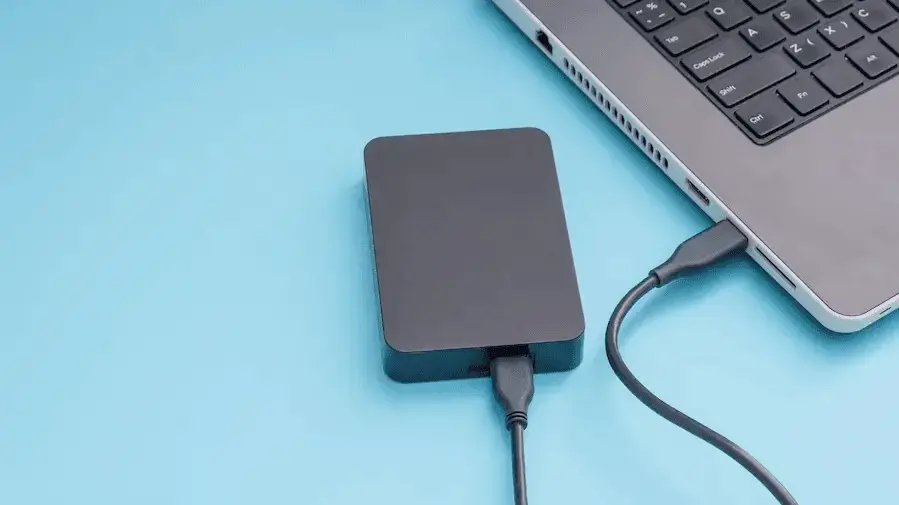
The right data backup solution depends on your budget, data volume, and how quickly you need to recover after a loss. Below, we compare four common options — USB flash drives, external hard drives, network-attached storage (NAS), and cloud storage — so you can choose the one that keeps your business protected.
For most growing businesses, especially those handling sensitive data, cloud storage paired with managed backup and disaster recovery support offers the strongest balance of security, scalability, and reliability.
Quick Comparison: Data Backup Solutions at a Glance
| Solution | Cost | Security | Scalability | Best For |
|---|---|---|---|---|
| USB flash drives | Low | Weak — easy to lose or misplace | Very limited | Quick, intermediate backups |
| External hard drives | Low–moderate | Moderate — vulnerable to theft/misuse | Limited by device capacity | Fast, large one-off transfers |
| Network-attached storage (NAS) | Moderate | Depends entirely on your own configuration | Limited by hardware bays | Businesses wanting an in-house backup server |
| Cloud storage | Pay-as-you-go | Strong, when paired with a compliant provider | Highly scalable | Growing businesses, regulated industries |

Comparing Your Options in Detail
USB flash drives
USB flash drives are basically miniature hard drives that you connect to your computer using a USB port. Aside from being inexpensive, USB flash drives are also portable. They can be used to back up data from several computers.
However, because of their size and portability, USB flash drives are easy to misplace, which is why they’re not recommended for long-term storage of crucial information. They are best used for intermediate backups.
External hard drives
As a backup storage medium, external hard drives have the lowest cost per gigabyte compared to other backup devices. Since an external hard drive has the same plug-and-play functionality as USB flash drives, you can just plug it into your computer and start selecting the files you want to back up. The transfer rate is also very fast, and you can back up a large amount of data within seconds.
One of the drawbacks of using an external hard drive is that you’ll need to update your backups on a regular basis, or else new files won’t be included. There’s also the risk of the device being misused or stolen. For example, an employee might use the drive for storing personal files or take it with them when they quit.
Network-attached storage (NAS)
NAS is a dedicated server for storing data, and it can also be used as an email server. It has its own IP address and can operate either wired or wireless. NAS offers data redundancy, which means it will generate a backup of your backups, so you can ensure your files are fully protected.
On the downside, NAS can’t be scaled beyond the limits of the system. This means you have to purchase additional hard drive bays when you need more capacity. You also have to take full responsibility for data security if you’re implementing NAS.
Cloud storage
Cloud storage is becoming more and more popular among businesses of all sizes because of its many benefits. It gives users anytime, anywhere access to data and lets them work with the most current hardware and up-to-date software. It’s also affordable since businesses pay for what they use only. Additionally, cloud computing is convenient, because service providers take care of the installation, management, and maintenance processes.
However, some cloud service providers don’t employ sufficient security measures on their systems, so your data could be exposed to potential cybersecurity threats. For this reason, cloud storage is not always the ideal solution for medical practices, law firms, and other organizations that handle sensitive data. If they want to use cloud storage, they must find a service provider that implements top-of-the-line cybersecurity protocols and specializes in data regulations compliance.
For a full breakdown of how backups fit into a broader continuity strategy, see our guide to the key elements of an effective business continuity plan.
Choosing the best backup solution has far-reaching impacts on your business, and every method has trade-offs. Book a free security assessment with ProSource to find the right backup strategy for your business.
Frequently Asked Questions
What is the best data backup solution for a small business?
For most small businesses, cloud storage combined with a managed backup and disaster recovery plan offers the best balance of cost, security, and reliability, especially compared to USB drives or standalone external hard drives.
How often should a business back up its data?
Backup frequency should be set by your recovery point objective (RPO) — the maximum amount of data you can afford to lose. Many businesses back up critical data continuously or multiple times per day.
Is cloud storage secure enough for sensitive business data?
Yes, provided the cloud provider uses strong encryption and compliance-ready protocols. Businesses in regulated industries like healthcare and finance should confirm their provider meets HIPAA, PCI, or other relevant standards.
Related articles

CMMC Phase 2 Suspension: What Florida Contractors Should Do
CMMC Phase 2 was suspended July 13, 2026, but DFARS and NIST 800-171 still apply. What Florida defense contractors should do during the pause.
Read more →
What Is Zero Trust Security and Does Your Business Need It?
Learn what Zero Trust security means, how it protects your business, and whether your small or midsize business needs a Zero Trust strategy.
Read more →
The Silent Killer of Business Growth: Tech Debt
Whether you run a healthcare practice, engineering firm, construction company, or small business, outdated technology is quietly costing you more than you think. Most businesses do not fail because of one big technology
Read more →Book the Free Assessment
Call (888) 948-7767 or schedule online. We'll review your environment and give you a written report with every gap we find.
No obligation. No sales pitch. Just an honest picture of where your business stands. ProSource has been doing this since 2006, from our offices in Oviedo, Orlando and Melbourne.